
SharePoint and OneDrive are cloud-based storage solutions that simplify file sharing and collaboration for departments and individuals. Unlike mapped network drives (P Drives), these platforms offer seamless access, making it easier to share and manage files from anywhere.
What Is SharePoint?
SharePoint is a shared workspace designed for collaboration within a department, office, committee, or project team.
SharePoint sites can be used to:
- Store and organize departmental files
- Share documents with multiple people or entire offices
- Collaborate on files at the same time
- Maintain continuity when staff roles change
- Control access based on departmental membership
Files stored in SharePoint belong to the department or group, not an individual user.
How to Access Departmental SharePoint Sites
- Navigate to https://www.office.com in a web browser.
- Sign in with your Kutztown University account.
- Select SharePoint from the app launcher.
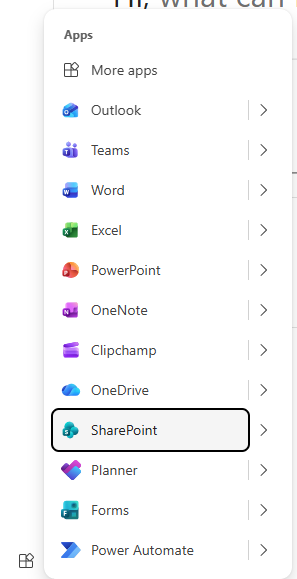
- Choose the appropriate department or team site. SharePoint sites can be synced to Explorer or File Manager for easy access.
What Is OneDrive?
OneDrive is personal cloud storage assigned to each individual employee.
OneDrive is best used for:
- Personal working files
- Drafts and in‑progress documents
- Temporary storage
- Files not intended for long‑term departmental use
Files stored in OneDrive are owned by the individual, even if shared with others. Sharing settings are managed on a per-file or per-folder basis.
SharePoint vs. OneDrive
Feature | SharePoint | OneDrive |
Intended use | Departmental or group collaboration | Personal file storage |
File ownership | Department or group | Individual user |
Access | Managed by site owners | Managed by the file owner |
Best for | Shared, long-term files | Personal or draft files and independent projects |
Continuity | Remains accessible when staff change | Access likely to change if owner leaves |
When Should I Use Each?
Use SharePoint when files need to be:
- Shared with a department or office
- Retained long‑term
- Accessible regardless of staff turnover
- Managed with controlled permissions
Use OneDrive when files are:
- Personal or temporary
- Still being drafted
- Not yet ready for departmental use
In many cases, files start in OneDrive and are later moved into a SharePoint site when they are ready to be shared broadly.